

Kurs Hakkında
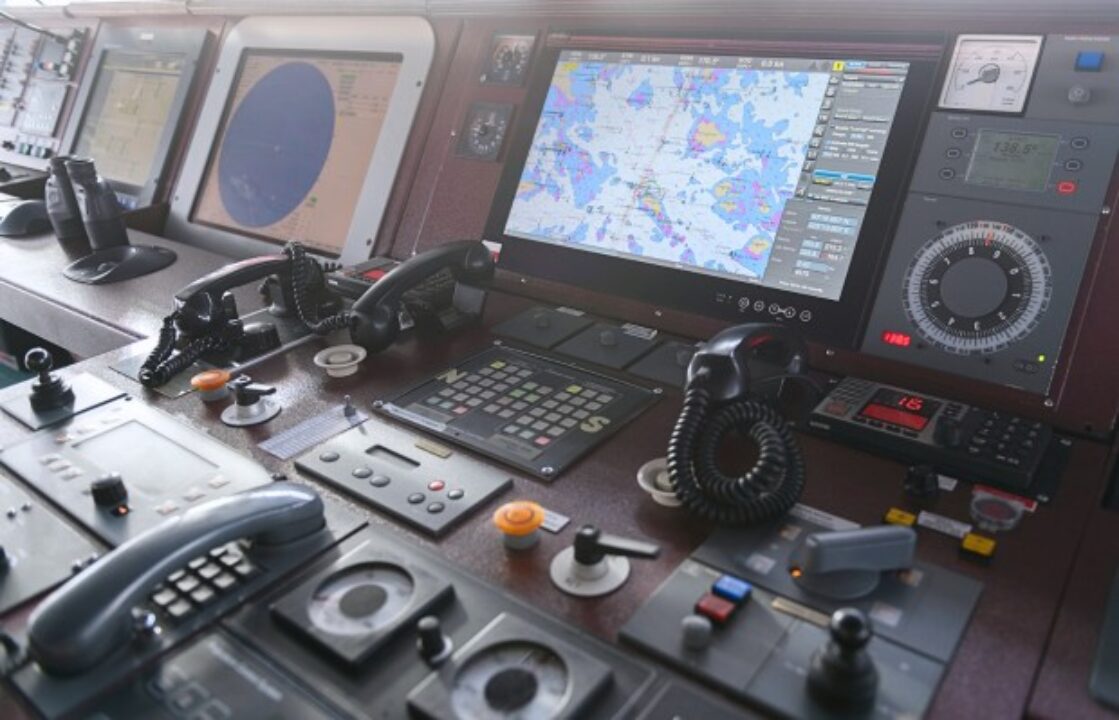
Welcome to your type-specific training for the Wärtsilä NaviSailor 4000 by Transas.
This course assumes that a generic training in the operational use of ECDIS according to the IMO Model Course 1.27 has already been completed. It is therefore designed to demonstrate and provide practice of operational tasks using the features and functions of the Wärtsilä NaviSailor 4000 by Transas.
The course is arranged in modules, units, and topics to provide a structured approach to the different ECDIS functions.
Please use the onboard ECDIS to practice but ensure that your training does not interfere with navigation and bridge operations.
After completing 70% of the course content, the assessment will be available.
Wärtsilä NaviSailor 4000 by Transas
-
User Interface and Operating Philosophy
-
ECDIS Basic Features
-
Chart Work
-
Alert Management
-
Sensors
-
Route Planning
-
Route Monitoring
-
Chart Maintenance
-
Backup Arrangements and Data Management
-
Navigational Tools and Other Related Information
Kurs İçeriği
Wärtsilä NaviSailor 4000 by Transas
-
1.1 Common Software Navigation Features
01:53 -
1.2 Standard User Input, ECDIS Handling and Help Facilities
09:42 -
1.3 Installation, Start-up and Shut-down of ECDIS
04:23 -
1.4 Interface Devices and General Screen Layout
05:20 -
1.5 Using the Cursor
03:54 -
1.6 Entering Values
03:38 -
2.1 Colour Codes and Test Diagram
03:48 -
2.2 Automatic Chart Loading
02:13 -
2.3 Orientation and Motion Modes
02:04 -
2.4 Chart Area Scrolling
01:49 -
2.5 Scaling
04:12 -
2.6 Display Filters
04:20 -
2.7 Chart Legend and Chart Symbols
02:03 -
2.8 Depth Shades and Safety Depth
04:55 -
2.9 Continous Safety Watch
04:16 -
2.10 Information Query – Pick Report
01:37 -
3.1 Chart Database and Manual Chart Selection
03:16 -
3.2 Chart Inscriptions
01:10 -
3.3 EBL, VRM and Additional Measuring Tools
04:10 -
3.4 Create and Modify User Map Objects
07:38 -
3.5 Delete User Map Objects
01:03 -
3.6 Manage User Maps
04:31 -
3.7 LOP Position Fix
04:17 -
3.8 Event Marker – MOB
03:02 -
4.1 List of Alerts
04:37 -
4.2 Alert Handling
02:45 -
4.3 Sources of Alerts
06:37 -
5.1 Sensor Display
02:23 -
5.2 Health Status & Alerts
00:55 -
5.3 Integrity Check
00:30 -
5.4 Sensor Hierarchy – Fall-back Chain
01:54 -
5.5 Switching Sensor Units
01:09 -
5.6 Position Sensor
01:41 -
5.7 Heading-Course (CSE,COG) Sensor
01:01 -
5.8 Speed (STW,SOG) Sensor
01:08 -
5.9 Date-Time
01:56 -
6.1 Route Creation and Modification
08:20 -
6.2 Manage Routes
06:14 -
6.3 Additional Features
04:22 -
6.4 Waypoint Creation – Default and Preset Settings
02:05 -
6.5 WP Handling – Graphic Mode
06:31 -
6.6 WP Handling – Text Mode
03:25 -
6.7 ETA Calculator
02:17 -
6.8 Route Check
01:40 -
6.9 Handling of Automated Route Check Alerts
02:09 -
7.1 Activate-Deactivate Planned Route
02:10 -
7.2 Display of Active Route Data & Alerts
03:55 -
7.3 Own Ship Symbol
00:37 -
7.4 Ship Direction Indicators
06:20 -
7.5 Past Track Indicators
01:45 -
8.1 Start-up and User Interface of the Navi Planner
03:54 -
8.2 Chart Catalogue, Overviews and Chart Formats
05:28 -
8.3 Chart Supply
15:36 -
8.4 SENC Installation and Updating
05:30 -
8.5 ENC Installation and Updating
06:36 -
8.6 RNC Installation and Updating TNS
03:28 -
8.7 Add-Edit Manual Corrections
06:03 -
8.8 Delete Manual Corrections
01:10 -
8.9 Manual Update History
01:18 -
9.1 Vessel-specific Backup Arrangements
01:03 -
9.2 Synchronising of ECDIS Stations
02:19 -
9.3 Data management – Import, Export and Printing of Files
05:17 -
9.4 Screenshots
00:35 -
9.5 Short Term Voyage Recording
04:19 -
9.6 Long Term Voyage Recording
01:06 -
9.7 Playback
02:31 -
10.1 Manoeuvring Displays – Conning Information
03:59 -
10.2 Parallel Indexing
01:20 -
10.3 Trial Manoeuvres
03:39 -
10.4 Anchoring Display
02:55 -
10.5 Presentation of AIS Data
04:09 -
10.6 Presentation of ARPA Data
01:28 -
10.7 Radar Overlay
00:27 -
10.8 AIO
01:20 -
10.9 Chart Datum Settings
00:41 -
Training Pack
-
Transas Ecdis Workbook
-
Transas / Wärtsilä Navi-Sailor 4000 ECDIS – 20Q Quiz
-
Wärtsilä NaviSailor 4000 – Final Exam (Advanced Level)